How do I register a city domain?

City domain names are a great way to show a clear connection to a specific place. Whether you’re building a local business website, a city guide, or a community project, a city-named domain can instantly tell visitors where you’re based and what you’re about. Here’s how you can register a city domain name with EuroDNS, and which real city extensions are available.
Important: Some city TLDs are open to anyone, while others require a local connection (residency, organisation location, or proof of community ties). Always check the “Conditions” section on the extension page before ordering.
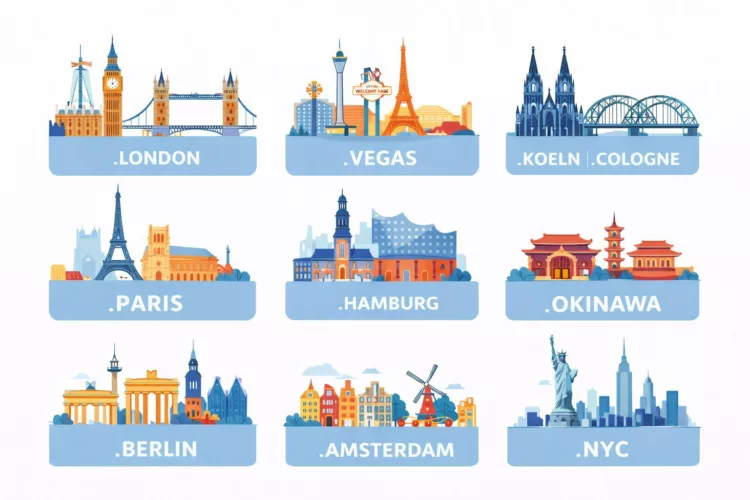
Popular city domain extensions you can register here
- .LONDON— London, United Kingdom
- .VEGAS— Las Vegas, United States
- .KOELN— Cologne (Köln), Germany (local-language form)
- .COLOGNE— Cologne, Germany
- .PARIS— Paris, France
- .HAMBURG— Hamburg, Germany
- .OKINAWA— Okinawa, Japan
- .TOKYO— Tokyo, Japan
- .BERLIN— Berlin, Germany
- .AMSTERDAM— Amsterdam, Netherlands
- .WIEN— Vienna (Wien), Austria
- .MADRID— Madrid, Spain
- .BARCELONA— Barcelona, Spain (community-connection requirements apply)
- .NYC— New York City, United States (residency/location requirements apply)
Looking for other city options (including Japan-based geoTLDs like Kyoto/Osaka/Yokohama/Nagoya)? You can explore more geoTLDs via EuroDNS’ full extensions catalogue: New TLDs.
Step-by-step: register your city domain name
- Search for your domain.
Use our domain search to check availability (example: yourbrand.berlin or guide.paris):
https://www.eurodns.com/domain-name-search - Choose the best match.
If your first choice is taken, consider a variation (e.g., “visit-”, “my”, “go”, “shop”, “events”) or a different city TLD. - Review the registration conditions.
Some city domains are restricted. For example, .NYC and .BARCELONA have eligibility requirements listed on their pages. Add to cart and check out.
Choose the registration period (one year or more), then complete payment and registration.
Quick tips before you buy
- Go short and memorable: city domains work best when the name is easy to type and say out loud.
- Secure your brand: if budget allows, register close variants (or multiple TLDs) to prevent confusion.
- Check restrictions early: for restricted city TLDs, make sure you can meet the requirements before checkout.
Helpful EuroDNS links
- Domain name search
- How do I order a domain name? (Help Center)
- How do I search for a domain name? (Help Center)
- Browse all extensions (including geographic TLDs)
Final takeaway: Registering a city domain is usually as simple as searching availability, checking eligibility rules (when applicable), and completing checkout. Once registered, connect DNS and launch your site with a location-forward domain that’s instantly recognizable.
How AI and Search Engines Interpret Domain Names in 2026
Découvrez notre nouvel hébergement: conçu pour votre croissance
Articles liés: